Get started with SellerRanks
Setup takes a few minutes. You don't need your Amazon password.
1. Install SellerRanks
Add SellerRanks to Chrome from the Chrome Web Store. Your dashboard opens when it's installed.
2. Get your key
Choose Start 7-day free trial in your dashboard and enter your email. If you've bought a licence, use the key from your purchase instead. Copy the key on the page that appears next.
3. Paste your key
Go back to your SellerRanks dashboard, paste your key under Your key and choose Activate key. If you can't find the dashboard, click the SellerRanks icon in Chrome and choose to open it.
4. Add your product and a competitor
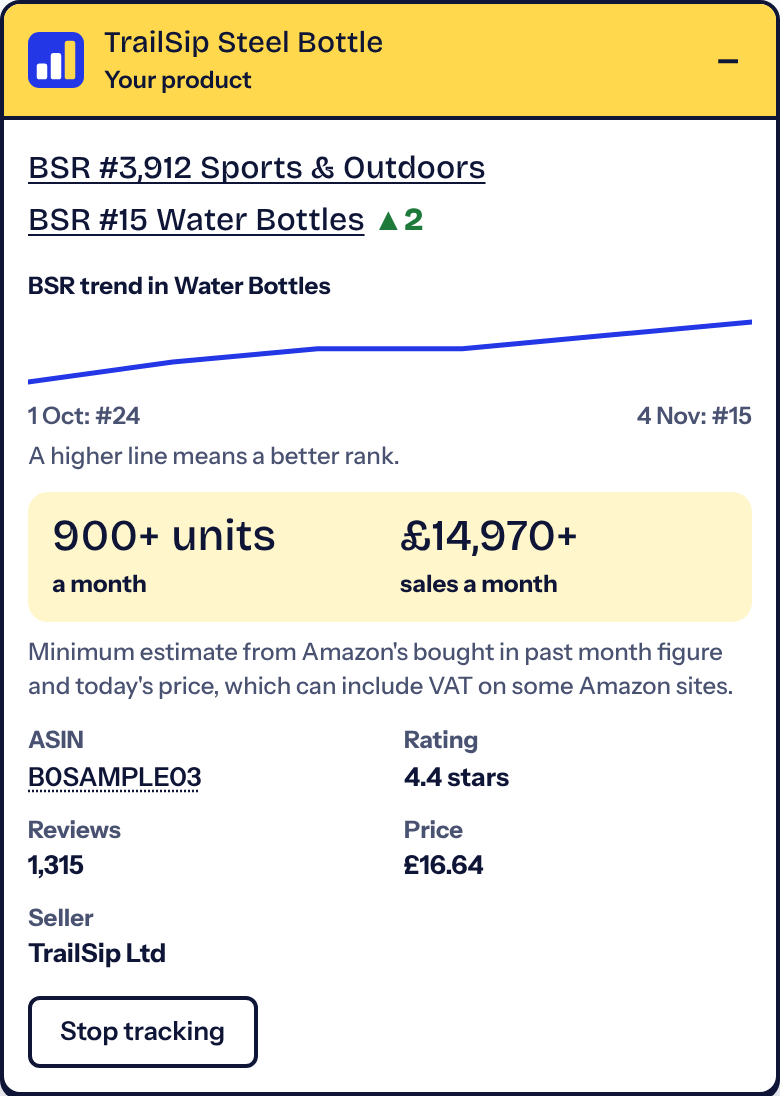
Open your listing on Amazon. In the SellerRanks panel, choose This is my product. Then open a competitor's listing and choose Track as competitor.
5. Track a keyword
Search your main keyword on Amazon and choose Track this keyword. To see any result's category rank, click Show rank.
6. See who's around you
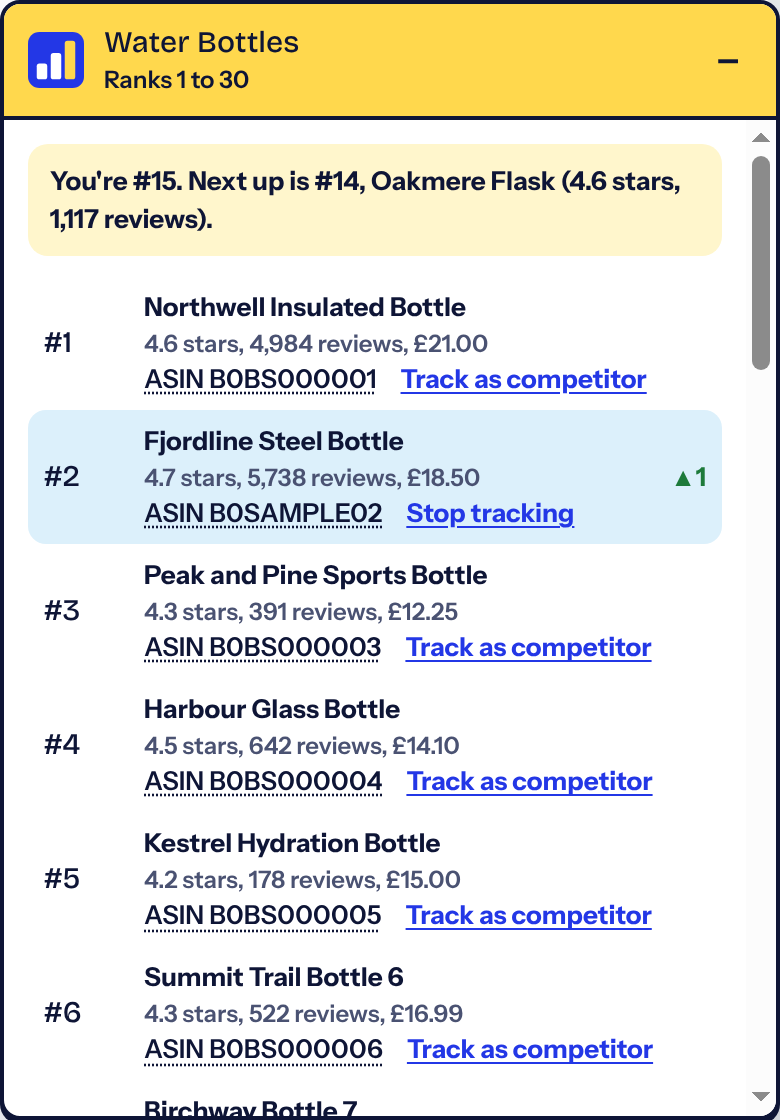
On your listing, click your category in the panel. You'll see the category list, with your product highlighted.
7. Come back to see what changed
SellerRanks doesn't read Amazon in the background. Each time you reopen your tracked pages it saves new readings, and your dashboard shows what's moved. Screens here use made-up sample products.
Checking another country's Amazon
Set Amazon's language to English using its own language menu, not Chrome's Translate. If prices are missing, Amazon may not deliver to your address. Click Deliver to and enter a local postcode, such as a city-centre code. You don't need a street address, and you can switch back afterwards.
| US | 10001 |
| Canada | M5V 3L9 |
| Australia | 2000 |
| Germany | 10115 |
| France | 75001 |
| Italy | 00118 |
| Spain | 28001 |
| Netherlands | 1011 AB |
| Sweden | 111 20 |
| Belgium | 1000 |
I lost my key
Open the SellerRanks customer portal and enter the email you used. You'll get a sign-in code, then you can see your key. You can also email [email protected].
Moving to a new computer
Each paid key works in up to two browsers. To free one up, go to Set up in your dashboard and choose Remove key from this browser, or manage it in the customer portal. Your readings are saved in each browser and don't move automatically, but you can export them as a CSV first.
My trial has ended
You won't be charged. SellerRanks goes back to showing your category rank on a listing. If you buy a licence, paste your new key to carry on, and your earlier readings will still be there.